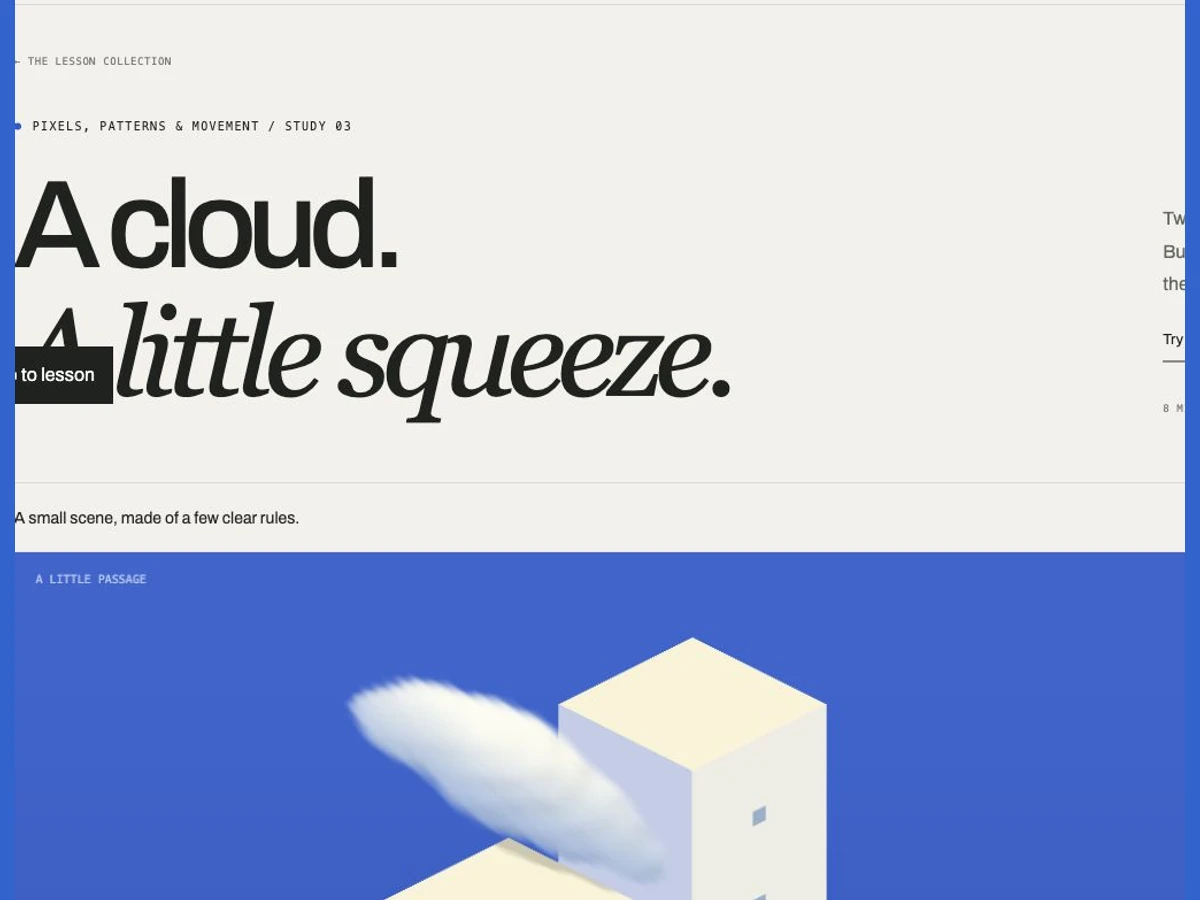
Pause and scrub the timeline to inspect the passage.
approach → squeeze → release
THE IDEA / SOFTNESS MEETS STRUCTURE
Build a world. Give it a visitor.
A simple passage can become a small story. A white cloud approaches two pale towers, squeezes through, drops a little rain, and expands on the other side. The blue background makes the soft silhouette easy to read.
We’ll build the scene layer by layer. Four views let you isolate the camera, cloud volume, deformation and complete scene. The diagrams explain each rule; the controls let you change it. No setup is needed to explore. Basic JavaScript and shader knowledge help if you edit the starter.
The squeeze and rain use stylised animation rules, not a fluid or weather simulation.
01 / A PLACE TO PASS THROUGH
Make depth legible.
The towers are two boxes. Their upper faces are warm cream; one side is cooler than the other. Those three tones tell us which surfaces face the light, even before we add windows or a cloud.
The camera looks down diagonally. Changing depth moves a box both sideways and vertically on screen.
An orthographic camera keeps parallel lines parallel. Project a 3D position onto the camera’s right and up axes to find its screen position. The camera direction stays fixed: the distant tower appears higher, while the near one sits lower.
Try: select Space. Move Gap from its minimum to its maximum. The towers keep their shape; only their separation changes. Gap is measured in our scene’s arbitrary units.
02 / A CLOUD IS MORE THAN ITS OUTLINE
Let light travel through it.
Start with seven overlapping spherical puffs. A smooth minimum blends their distance fields into one shape. That field becomes density: a soft transition from empty air to a thicker interior. The overlapping puffs create a lobed silhouette without visible hard seams.
A viewing ray samples the density field from front to back. Dense regions become more opaque.
D = smoothMin(distance to each puff) density = 1 − smoothstep(−softness, softness, D)
The renderer samples the cloud along each viewing ray, accumulating colour and opacity. Light probes toward an upper-left light darken sheltered regions. A subtle 3D ripple breaks the perfectly smooth boundary; a warm upper surface and cool underside make the volume readable.
Try: select Volume. Change Edge softness. A small value makes the boundary sharper; a larger one spreads the density transition. Then change Cloud size. The puffs grow together as one volume.
03 / A SOFT THING IN A SMALL SPACE
Compress one axis. Release it slowly.
The passage runs along the cloud’s travel direction. Its narrow dimension is across the gap. As the cloud approaches the towers, a smooth contact envelope blends from the resting shape into a compressed shape. After it clears them, that blend falls away.
The drawing isolates the two axes. In the scene, both axes are projected diagonally by the camera.
We also add a small vertical lift. This makes the squeeze feel soft and gives the cloud room to bulge. The contact envelope changes continuously, so there is no abrupt switch at the wall. This art-directed rule does not conserve mass or solve collision forces.
Try: select Squeeze and set Time to 7.5 seconds. Narrow the Gap. Watch Width reduction increase and the cloud stretch. Switch Respond to gap off, then on, to compare the deformation at the same moment.
04 / WHAT GOES IN FRONT?
Stop at the first solid surface.
A cloud moving behind, between and in front of the towers cannot use a single fixed drawing order. We intersect each viewing ray with both boxes. The nearest solid surface becomes the end of the cloud’s sampling interval. Cloud in front of it remains visible; cloud behind it is hidden.
Depth is decided for each ray, so different parts of the cloud can sit on opposite sides of a tower.
The raindrops use the same camera and a box-depth check. Their small blue shapes fall at the mouth of the passage while the contact envelope is active. Their timing follows the scrubbed timeline, so the same moment always produces the same arrangement.
Try: select Scene. Scrub from 3 to 11 seconds. Track one lobe of the cloud’s silhouette as it disappears behind a tower and returns in front. Toggle the rain to see how little is needed to tell the story.
05 / A SMALL STORY NEEDS A RHYTHM
Approach. Squeeze. Release.
The cloud crosses the scene in a 15-second passage. Position changes steadily, while deformation follows proximity to the towers. This separates travel from reaction: the cloud can move simply while its shape tells us what the space feels like.
Approach
Leave room around the cloud so we can recognise its resting shape.
Squeeze
Let compression and a few raindrops explain the narrow space.
Release
Restore the rounded silhouette as the cloud leaves the passage.
Use elapsed time rather than a fixed amount per frame. The scene pauses outside the viewport, and starts still when reduced motion is requested. Scrubbing pauses playback, giving you time to study any moment. The cloud fades at the frame edges before the loop restarts; it does not reverse through the buildings.
YOUR TURN / ONE CLOUD, TWO PASSAGES
Make it easy. Then make it tight.
Pause at 7.5 seconds. Set Gap to 1.50 and Cloud size to 0.65×. Save a frame: the cloud should have enough room to remain round.
Keep the same time. Set Gap to 0.30 and Cloud size to 1.25×. Save another frame. Compare the silhouette, depth and rain. Finally, turn Respond to gap off: which visual clues disappear?
The WebGL shader draws the towers and cloud; Canvas 2D adds the diagrams, labels and raindrops. No drawing libraries or downloaded video frames are used.
// Art-directed deformation near the passage.
const contact = 1 - smoothstep(0.45, 2.05, Math.abs(cloudX));
const fit = clamp(gap * 0.90 / (1.36 * cloudSize), 0.22, 1);
const q = mix(1, fit, contact);
const scale = [1 / Math.sqrt(q), 0.70 * (1 + (1 - q) * 0.16), q];
// Evaluate the puff field in these deformed coordinates.
const local = (worldPosition - cloudCentre) / scale;
Save the self-contained HTML starter, open it in a browser and edit it in a text editor. Its styles, image, model and shaders are embedded. WebGL gives the volume lighting; a Canvas preview remains available when WebGL cannot run.