SECTION THROUGH THE + The blue line is the net. The dark line is the ground. — average thread visibility across the field.
THE IDEA / NATURE AS A NETWORK
A regular weave. An irregular world.
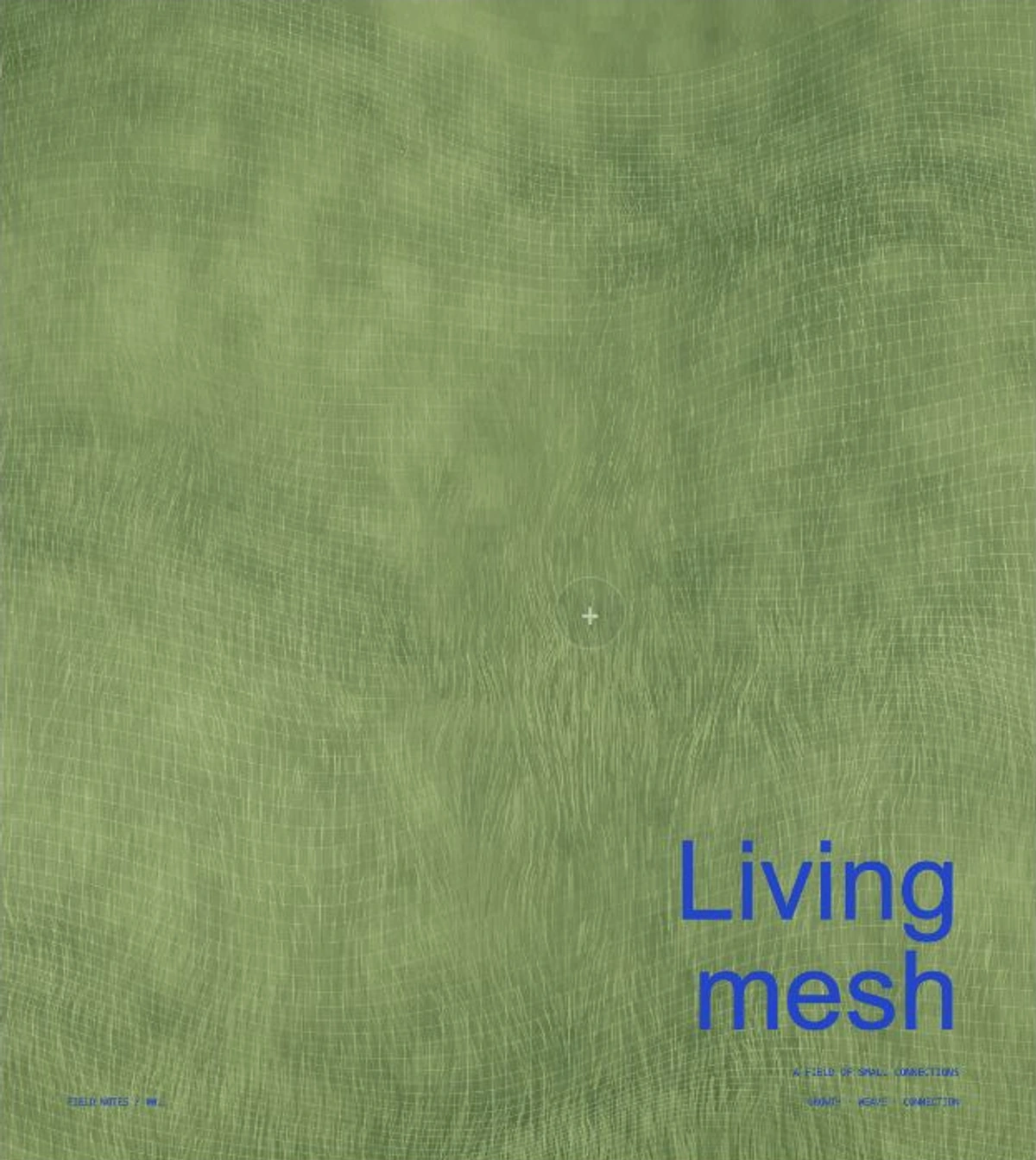
A net is simple: two families of threads and the openings between them. The ground underneath is never that regular. Grass grows at different heights. A fold catches light. A blade hides one segment. A manufactured pattern becomes a record of its surroundings.
This lesson builds an original procedural interpretation with Canvas drawing. Everything in the field is generated: broad terrain waves, stable vegetation strokes, draped mesh, grain and typography. No photograph or remote image is needed.
The studio is a visual model. Its support and sag fields suggest draping; they do not solve cloth tension, collisions or biological growth. A slow cycle lets you inspect the relationship between layers.
01 / GIVE THE GROUND A SHAPE
Start with changes at two scales.
Broad waves make ridges and hollows. Smooth noise keeps them from repeating too neatly. Store a height for every ground coordinate, then project it into the image. Higher points rise on the page; rows get wider toward the foreground.
The field contains thousands of individual blades. Their positions and colours use a repeatable hash, so adjusting a control preserves the terrain's identity. Replacing that hash on every frame would create distracting flicker.
Try: select Ground and move Vegetation height from zero to 100%. The ridges remain; the blades grow taller around them.
02 / PUT A WEAVE OVER IT
Keep the connections. Bend the position.
Build two families of lines in ground coordinates. One runs across the field, the other runs into it. Sample each thread at small intervals, raise every sample with a net-height function, then project it. The connectivity stays regular while the strokes become curves.
net height = ground + support − sag thread point = project(u, v, net height)
The support field uses smoother growth, including the patch under the +. Slack lowers the mesh into the spaces between supports. A minimum clearance prevents it from crossing the ground in this simplified height model.
Try: select Weave. Set Weave density to 28 to see the large openings. Compare slack at zero and 100%, then use the + to move the support patch.
03 / LET PARTS DISAPPEAR
Visibility is local.
A net drawn at the same opacity everywhere reads as a flat overlay. Compare the space beneath the mesh with the local vegetation height. Let tall growth reduce the thread's alpha, then draw selected blades in front of it. Some threads become faint; others are physically covered by a stroke.
The percentage below the studio is an average of sampled thread alpha across the field. It is a visual measure, not a radio signal or a connectivity test. A hidden segment can still belong to a connected net.
Try: select Coverage. Increase vegetation and slack together. Watch the cross-section and the visibility measure change. Thread visibility adjusts the overall balance without changing the geometry.
04 / USE TIME TO EXPLAIN
A slow change tells you more.
Growth phase moves the support and vegetation fields through a gentle repeating pulse. The net responds because it samples those same fields. Let the field grow plays an eighteen-second cycle. Scrub the phase to inspect any point; moving the + pauses the loop.
The initial composition is still. Hidden or offscreen scenes stop drawing. Reduced motion keeps the same settled field and manual controls; the growth cycle is available when you explicitly choose to play it.
Try: hold Weave density at 72. Scrub Growth phase while looking at the blue line in the section. Change one parameter at a time so you can see what it contributes.
05 / TURN THE FIELD INTO A POSTER
A small amount of type changes the reading.
Choose Meadow, After rain or Dry ground. Each palette changes ground, blade and thread colours together. Open Make the poster yours to edit the two-line title and small caption. The first word sits on the first line; remaining words sit below it. Clear the title for an abstract field.
Keep the type away from the growth patch. A short word and a quiet caption leave room for the thread pattern to carry the composition. Fine stationary grain softens the join between vegetation and mesh without making the image sparkle.
Save the field prepares a 1600 × 1792 PNG of the current stage, phase, palette and copy. Use Download saved PNG to keep it. The +, controls and cross-section stay outside the artwork.
Try: export a sparse dry field and a dense green one with the same title. Which feels more ordered? Which feels harder to read?
06 / MAKE YOUR OWN VERSION
Keep the layers separate.
In a visual editor, start with your own grass or textured-ground image. Draw a pale grid on a separate layer. Use a mesh or displacement tool to bend it around large forms, then mask selected areas behind the vegetation. Keep the thread layer editable so density and contrast can change independently.
For a coded version, begin with a sparse grid and a single mound. Check that both line families sample the same height. Add terrain detail only after the weave is continuous. Increase density last: a fine net can hide mistakes that a coarse grid makes obvious.
The downloadable starter contains this entire working studio in one file, including the field functions and renderer. Open it locally in a browser, then edit the embedded code in a text editor. It needs no installation or server.
YOUR TURN / ONE FIELD, TWO READINGS
Keep the weave. Change the growth.
Keep density at 60 and use the same short title. Make one field with low vegetation and a tight net. Make another with tall growth, more slack and softer visibility.
Export both. Look at them small. Adjust the support patch until the interrupted pattern feels intentional.
One self-contained HTML file includes the procedural terrain, woven threads, local coverage, live section, controls and PNG export. The preview is embedded for a readable first frame. All live artwork is generated in Canvas.
// Keep ground, net and vegetation in the same coordinates.
const ground = terrainHeight(u, v);
const support = growthField(u, v, settings);
const net = ground + Math.max(clearance, support - sag);
const point = projectPoint(u, v, net, width, height);
// Visibility changes locally; the connections remain.